Local is where your data becomes something you can actually use. It runs on hardware you already have on site — a small SBC tucked next to a hub, or a laptop or desktop you open when you want a proper look — and it turns the stream of sensor readings into dashboards, history, and answers.
The whole point: the data is yours, it stays local, and nothing has to leave the site for you to get full value from it. Cloud is an optional extra on top — Local is complete on its own.
What Local does
- Browse and analyse — every reading from every sensor, live and historical, in dashboards you can drill into.
- Owns the data outright — stored on your hardware in open formats. No account, no subscription, no third party holding your history. See Your data is your data.
- Backs up — keeps safe copies of your data so a dead SD card or a swapped hub doesn’t lose your history.
- Manages data across hubs — pulls together readings from multiple hubs on the site into one consistent picture, and keeps them in sync.
A look at it
The dashboard is the front door — a live overview of the whole site, with a view for every domain. Tap any screen for a closer look:
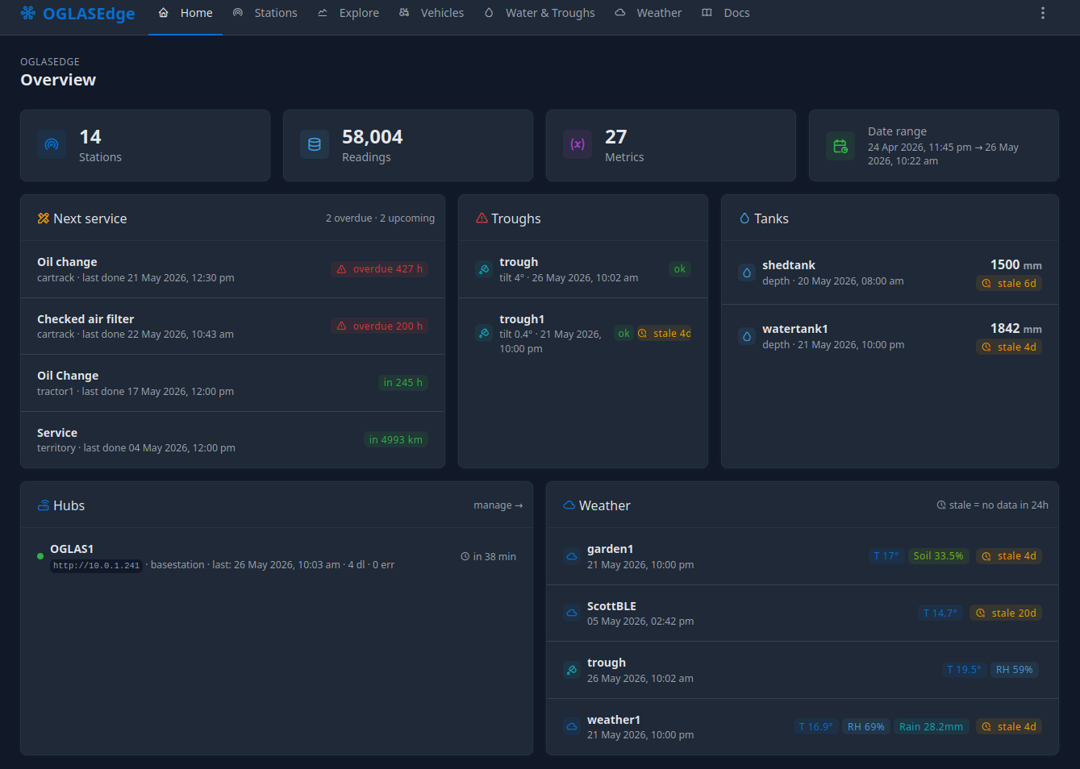 Dashboard — a live overview of the whole site
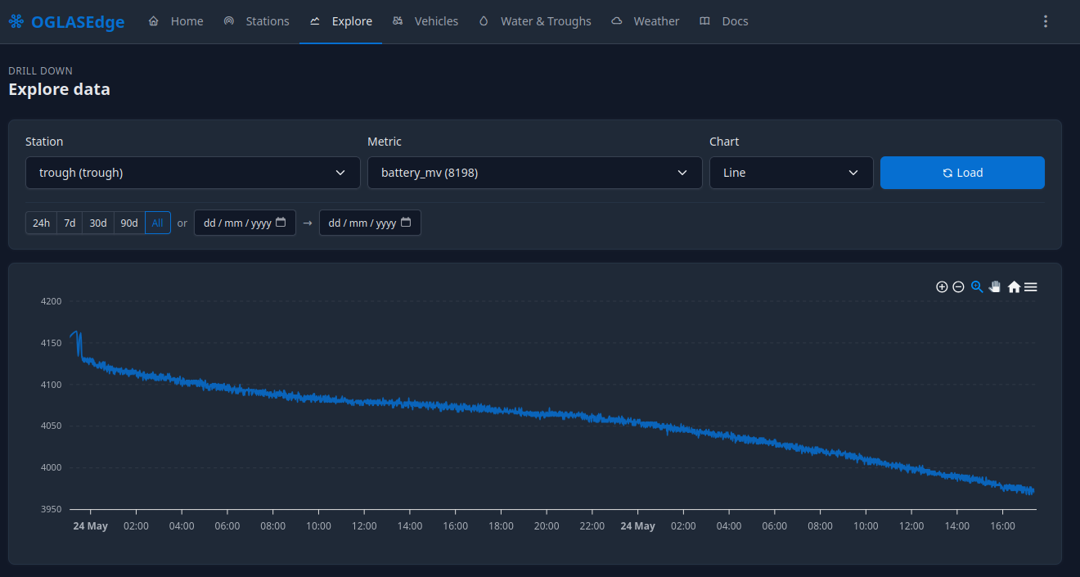 Drill into any sensor for its full history and detail
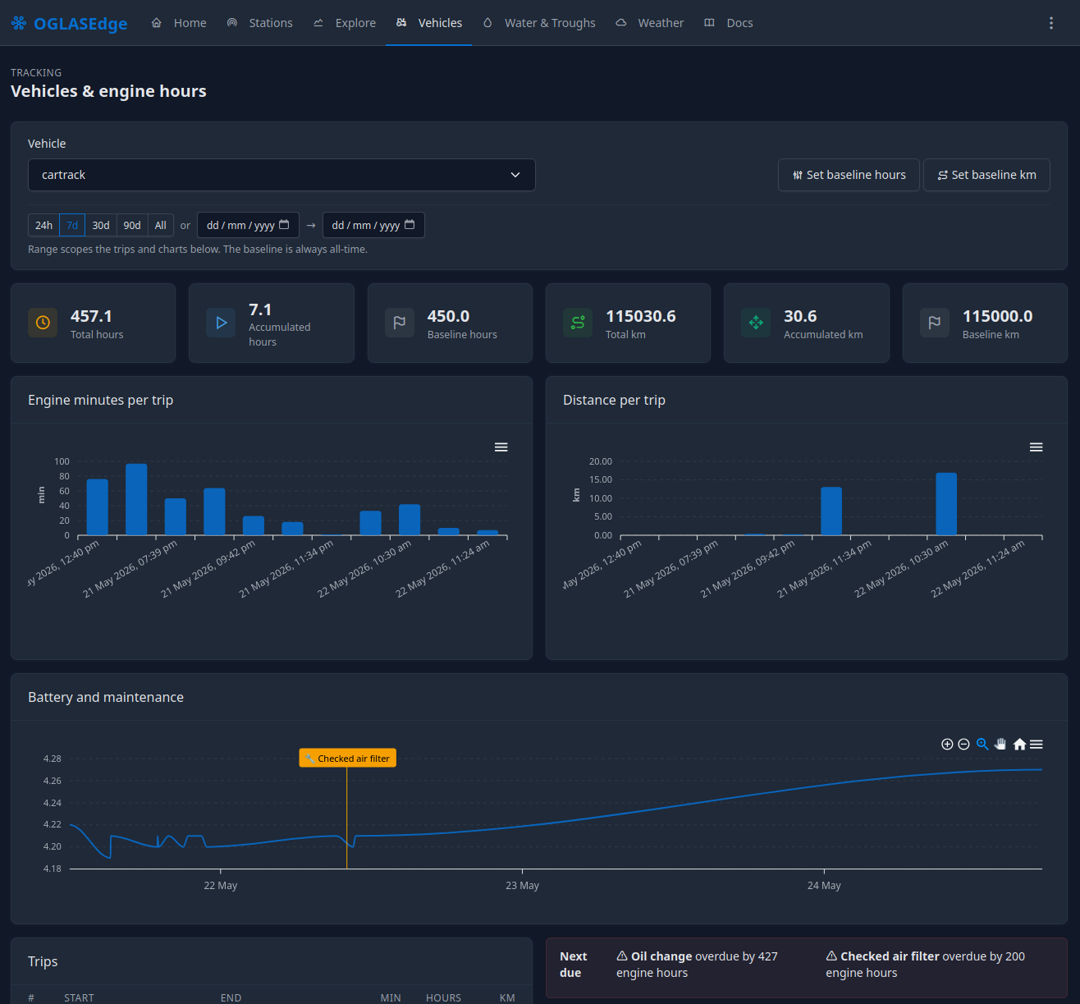 Vehicles and assets pulled together in one view
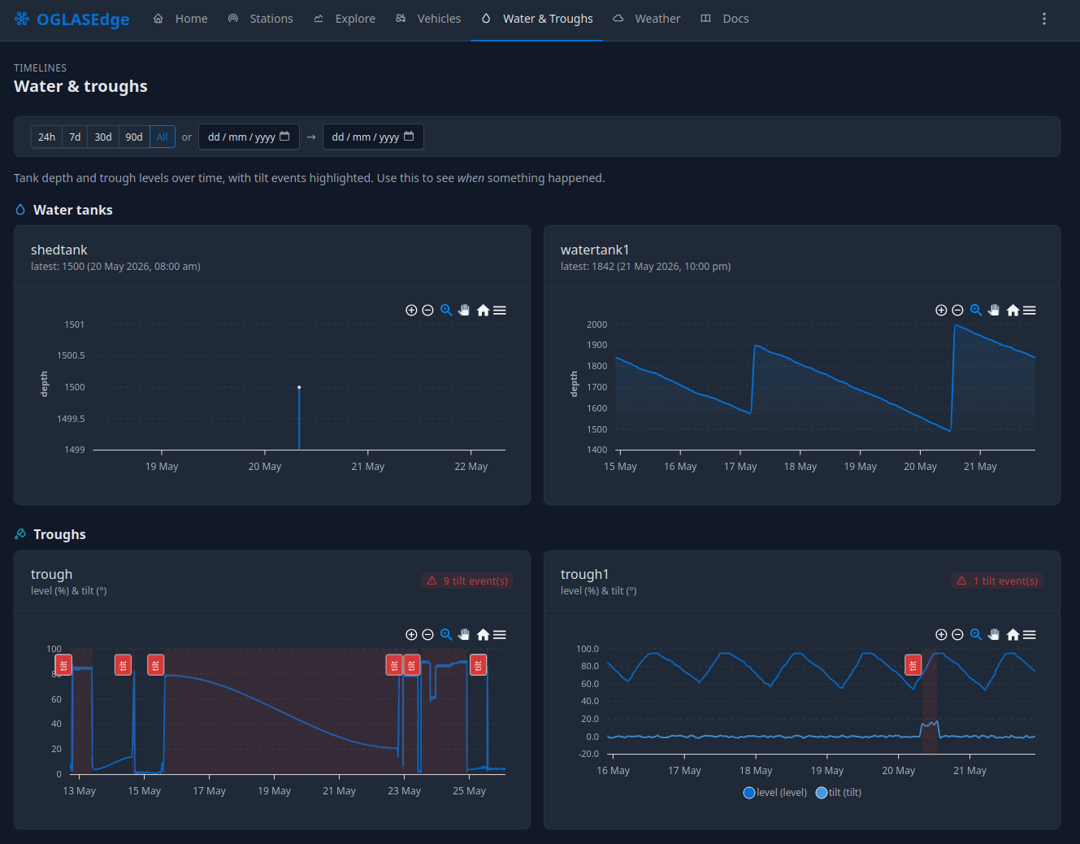 Water — tanks and troughs, with levels and thresholds
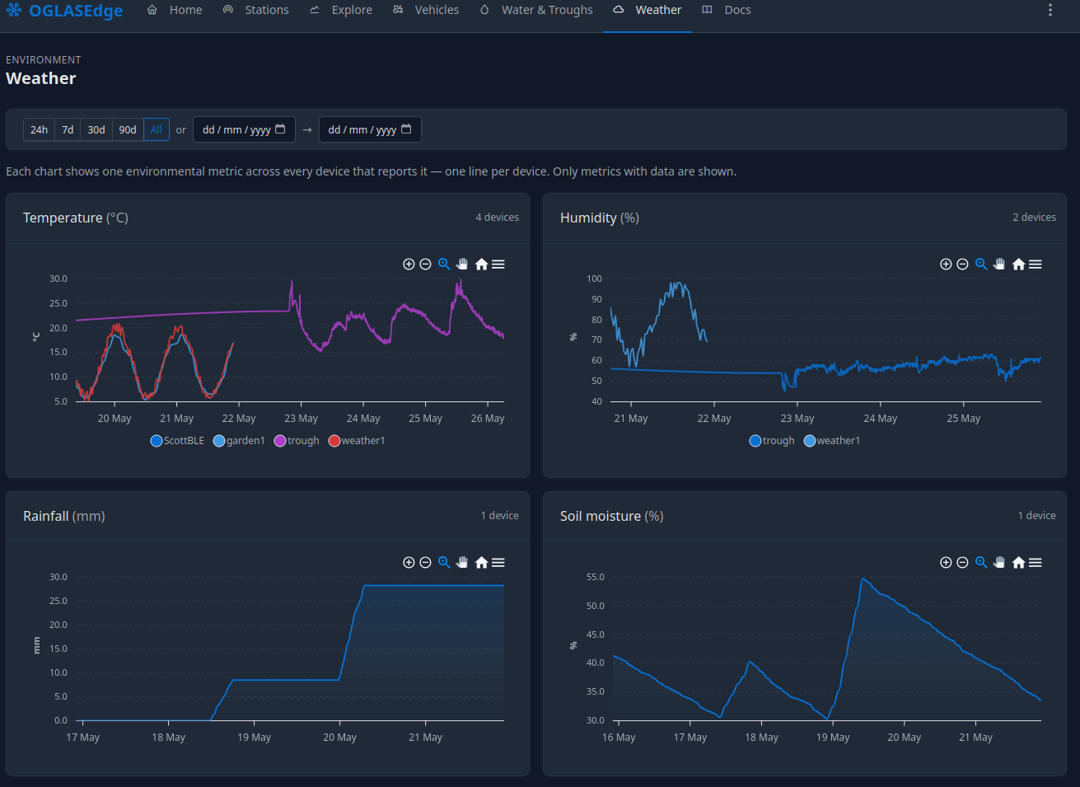 Weather, on the same timeline as everything else
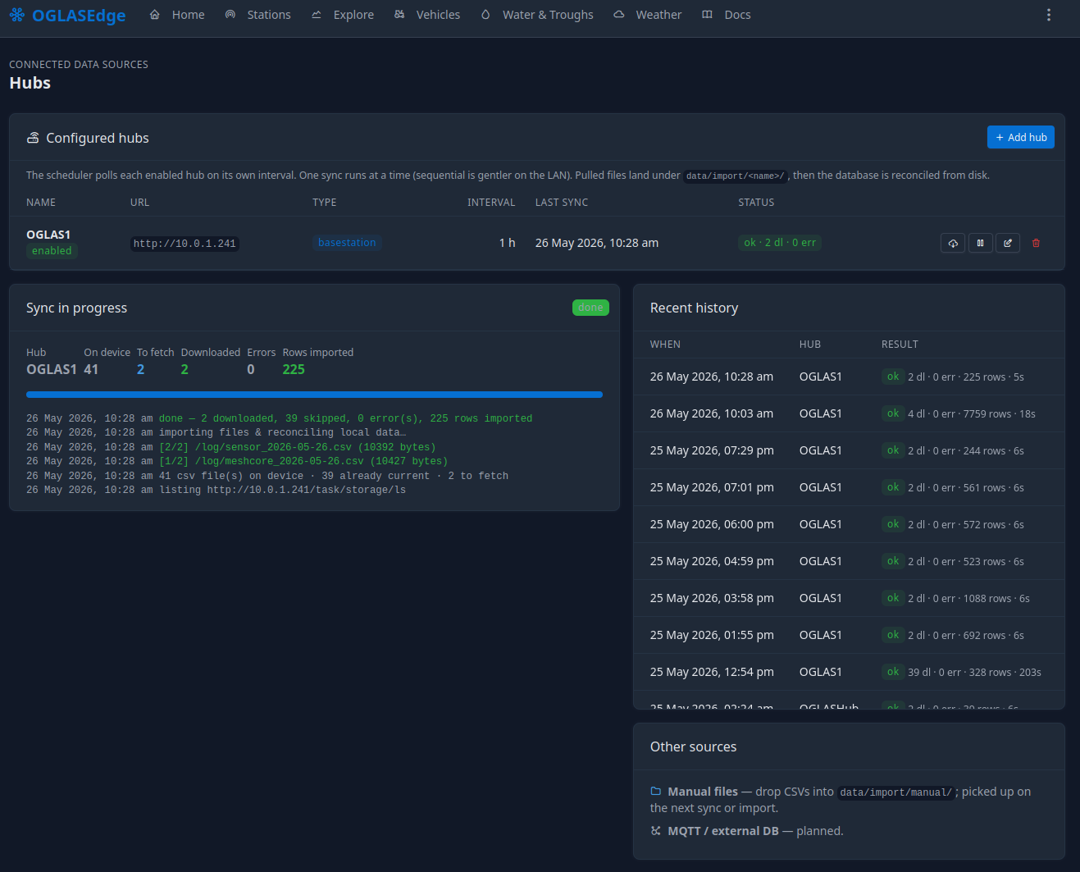 Manage every hub on the site from one place
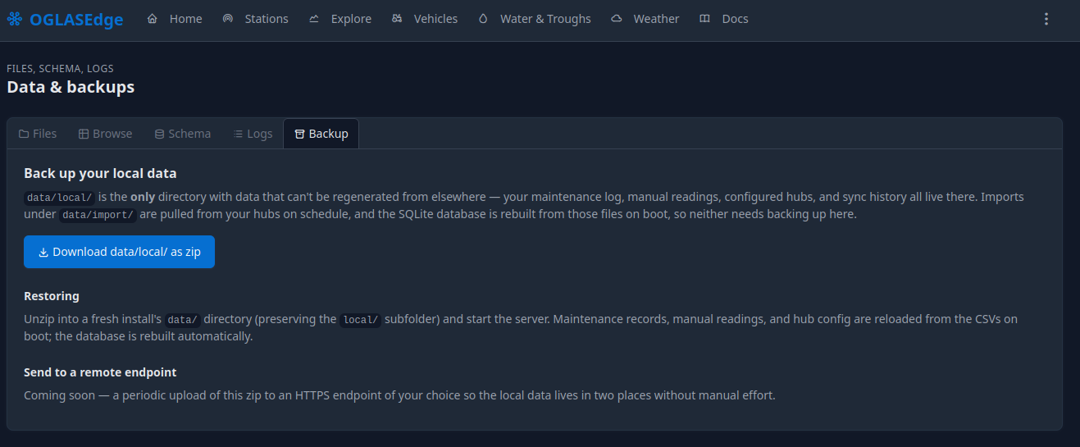 Built-in backup keeps your data safe
Where Local runs
- A small SBC — left running next to a hub, sipping power, always on. The set-and-forget option for an off-grid site.
- A laptop or desktop — open it when you want to dig in; Local picks up where it left off. Good when you’d rather not leave anything running.
Either way the data lives on your hardware. If you also want it off-site — viewable from your phone, or shared with someone — that’s what Cloud adds, on your terms.
Want Local tailored to your site — specific dashboards, reports, or integrations? That’s a custom build, and it’s the part we specialise in.